kumquatAUDIO

A little goes a long way.

Free during the beta

Voice

The ka de-esser window

ka de-esserlive mode

De-esser
  • Auto finds where a voice's esses are and shows them as a glow, so you can throw it on a vocal and tame the harsh part
  • Threshold and look-ahead: the reduction starts before the ess does, and only the highs are turned down, so the voice below is left alone
  • The threshold slider is also a live meter: it glows where the esses go past it, and the picture flashes where each one is
  • Listen mode solos the removed signal; Live mode switches the look-ahead off for 0 latency

DownloadManual (PDF)

The ka de-click window

ka de-click

Mouth click remover
  • Detects and repairs lip smacks, tongue clicks and mouth noise, cutting only the click itself so the voice underneath stays
  • Sensitivity opens up in loud speech as you turn it up: more clicks found, at the cost of a few extra repairs
  • Listen mode solos the removed signal

DownloadManual (PDF)

The ka de-noise window

ka de-noise

Broadband noise reduction
  • Attenuates hiss, hum and fan noise without a gate
  • Adaptive Auto mode, or Learn a noise profile for exact results
  • Voice knob: a fuller, clearer voice, turned up where it is voice

DownloadManual (PDF)

The ka de-verb window

ka de-verb

Dereverberation
  • Reduces room reflections and reverb tail on dialogue and vocals
  • Single Amount control, adjustable Room length and Start time

DownloadManual (PDF)

The ka rider window

ka riderNEW0 latency

Automatic vocal level rider
  • Learns how loud the voice usually is and rides it up and down around that level (or a level you set), within an amount you choose, so it sits steady without drawing automation
  • Slow, Medium and Fast speeds, and it leaves breaths and the gaps between phrases alone
  • Send it the music through the Side Chain input and it keeps the voice just above it
  • Delta plays only the ride

DownloadManual (PDF)

The ka contour window

ka contourNEW

Automatic voice evener
  • Listens to a voice for a few seconds, then turns down boomy, nasal and harsh bumps and fills in holes in its sound, by itself
  • One Amount knob; a dark or bright voice stays dark or bright
  • High pass for rumble and thumps, with no delay of its own
  • Listen plays only what is changed

DownloadManual (PDF)

Mixing

The ka eq window

ka eqlive mode

Dynamic EQ and resonance suppressor
  • The graph is the whole window: drag to add a band, scroll for its width, double-click to delete it, hold Control to hear only what a band does
  • Six bands plus high-pass and low-pass with selectable slopes
  • Per-band dynamics, and a resonance suppressor that looks about 85 ms ahead and can go very narrow, shown as a green curtain on the graph
  • Sidechain input for carving space around another track
  • Delta plays only what the EQ changes
  • Live mode: switches the suppressor off for 0 latency, for playing through it

DownloadManual (PDF)

The ka limiter window

ka limiter

True-peak limiter with clipper
  • True-peak limiting with a clipper stage and a live view of the clipping
  • Clean, Punch and Loud limiting modes
  • Presence enhancer, and split-band bass limiting
  • Delta plays only what the limiter takes off
  • A compact window to leave open on the master: two meters, Clip and Threshold, and the loudness

DownloadManual (PDF)

The ka mic blend window

ka mic blend

Dual-mic blend and phase aligner
  • Blend two microphones on a single control, linear or equal-power
  • Auto-align measures the inter-mic delay and polarity

DownloadManual (PDF)

The ka target window: a mix against its target curve, with the plan it learned

ka target

Tonal balance toward a target curve
  • Compares your whole mix with a target curve and shows how far off it is
  • Press Learn and the plan goes on at once. Blend it in with Strength, or undo it
  • Make your own targets: drag the curve, or learn one from a mix you love, and save it by name
  • The suppressor and multiband show live on the graph, under the EQ curve
  • Speech mode for dialogue, with a rumble filter and a de-esser

DownloadManual (PDF)

The ka bus comp window

ka bus comp0 latency

Bus compressor
  • Clean, soft-knee compression with stepped ratio, attack and release
  • A ten-light gain reduction ladder
  • Program-dependent auto release
  • Dry/wet mix for parallel compression, and a gain-reduction history display
  • Sidechain input with a high-pass and Listen, and Delta to hear only what it takes off

DownloadManual (PDF)

The ka multiband comp window

ka multiband complive mode

Multiband compressor and expander
  • Up to six bands with draggable crossovers on a live spectrum
  • Per-band compress or expand, range, solo and bypass
  • Minimum-phase or linear-phase crossovers, and a Color saturation knob on every band
  • Sidechain input with a high-pass and Listen, and Delta to hear only what it takes off
  • Live mode: switches linear phase off for 0 latency, for playing through it

DownloadManual (PDF)

The ka fet comp window

ka fet comp0 latency

Fast, punchy compressor
  • Fast, aggressive character with fixed threshold and 4, 8, 12, 20 and All ratios; the top comes forward as it works
  • A needle meter that flicks with every hit
  • Attack from 20 microseconds, program-dependent release
  • Color saturation and parallel mix
  • Sidechain input with a high-pass and Listen, and Delta to hear only what it takes off

DownloadManual (PDF)

The ka opto comp window

ka opto comp0 latency

Smooth leveling compressor
  • Slow, smooth, program-dependent two-stage release with memory; it softens the top as it works
  • A glowing light cell that follows the sound and fades slowly
  • Compress and Limit modes, with high-frequency emphasis
  • Warm color saturation and parallel mix
  • Sidechain input with a high-pass and Listen, and Delta to hear only what it takes off

DownloadManual (PDF)

The ka zing window: five buttons, Air and two knobs

ka punch

Secret sauce
  • Five modes. Our lips are sealed
  • Two knobs and a button. Turn them. Listen. Grin
  • Delta plays only what it adds

DownloadManual (PDF)

Effects

The ka saturator window

ka saturatorlive mode

Harmonic saturator
  • Soft, Warm and Hard transfer curves
  • Automatic loudness compensation as Drive increases
  • Oversampled processing to keep aliasing out of the signal
  • Delta plays only what the saturation adds
  • Live mode: no oversampling, so 0 latency, for playing through it

DownloadManual (PDF)

The ka delay window

ka delay0 latency

Stereo delay
  • Free time in milliseconds, or note values locked to host tempo
  • Stereo, Ping-pong, Wide and Cross feedback modes
  • Tone control in the feedback path

DownloadManual (PDF)

The ka reverb window

ka reverb0 latency

Algorithmic reverb
  • Room, Chamber, Hall and Plate algorithms, and a Room file space that plays a room loaded from a sound file
  • Early reflections that follow the walls of the room, for drums and close-miked sources
  • Early, Bass, Highs and Mod controls for shaping the tail, and a send EQ (Low cut, High cut, Both, Both + dip), each drawn with the shape it lets through

DownloadManual (PDF)

Drums

The ka drum gate window

ka drum gateARA

Multi-mic drum gate
  • Analyses all drum mics together to detect each drum's hits
  • Gates, cleans bleed and solos each drum

DownloadManual (PDF)

Whole recordings

The ka silence trim window

ka silence trimARA

Silence removal for long recordings
  • Detects silence and keeps the performance
  • Exports an edited file that stays in sync with the original

DownloadManual (PDF)

The ka auto mixer window

ka auto mixerARA

Automatic mic mixer
  • Level-rides the active talker across multiple microphones
  • Uses arrival time between mics to keep bleed from opening the wrong mic

DownloadManual (PDF)

The ka time align window

ka time alignARA

Multi-mic phase alignment
  • Measures the delay of each mic in milliseconds, samples and metres
  • Polarity correction, with all-pass filters for low-frequency phase coherence
  • Waveform lanes for every mic, as recorded and as aligned, and export of the aligned tracks

DownloadManual (PDF)

Download

One installer with every plug-in, or just the ones you want: each plug-in above has its own download, with its own manual. Signed and checked by Apple.

Kumquat Audio 1.7.11 beta

Download the installer

macOS · Apple silicon and Intel · Audio Units and VST3 · 191 MB · free

Download the manual (PDF)

111 pages · 4 MB · or read it online

Install

  1. Open the installer and choose Audio Units, VST3 or both. The manual comes with it.
  2. Restart your music software.
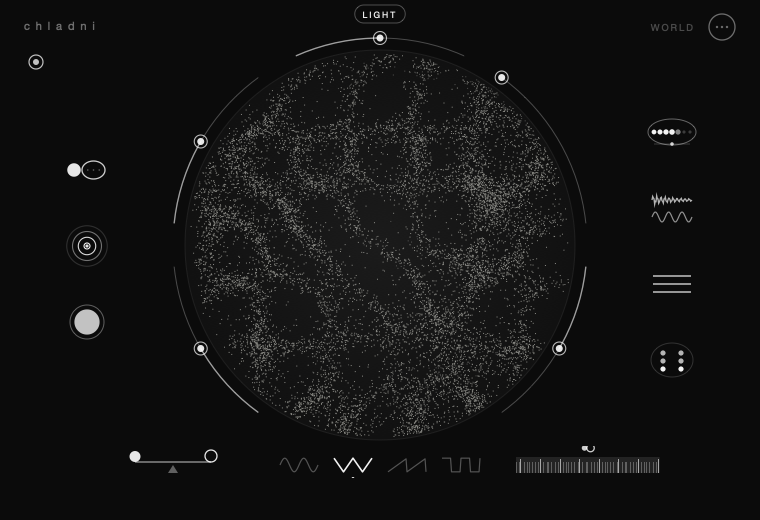
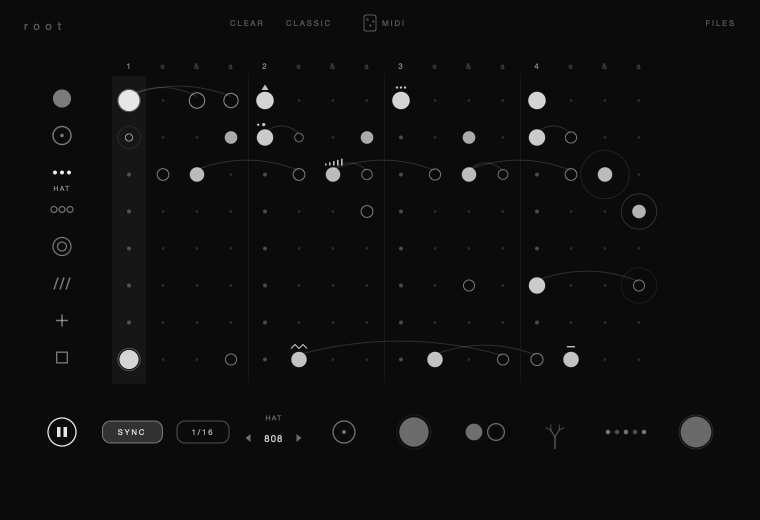
  3. Look for Kumquat Audio in your effects. The two instruments, KA Chladni and KA Root, are in the instrument slot of an instrument track.

KA Silence Trim, KA Drum Gate, KA Auto Mixer and KA Time Align

These four need a host that supports ARA, and come as Audio Units only. In Logic Pro they load when Logic is opened using Rosetta (select it in Finder, Cmd+I).

Questions


Does it cost anything?

Not during the beta.

Which hosts does it work in?

Mac hosts that load Audio Units or VST3, like Logic Pro, Ableton Live, Studio One, Reaper, Cubase and DaVinci Resolve. So far we have tested in Logic Pro. KA Silence Trim, KA Drum Gate, KA Auto Mixer and KA Time Align also need ARA.

How do I remove them?

Delete the Kumquat plug-ins from /Library/Audio/Plug-Ins/Components and /Library/Audio/Plug-Ins/VST3, then restart your music software.

Something is not right.

Write to audiokumquat@gmail.com with the plug-in, the host and what you were doing.